Renko Reversal Trader
The Reversal auto entry was originally designed to work with NinZaRenko bars. However, it will work similarly on any Renko style chart. Many traders also use it with Heiken Ashi charts.
It will enter trades on any chart where the conditions are met. It is recommended to use it with Price based charts.
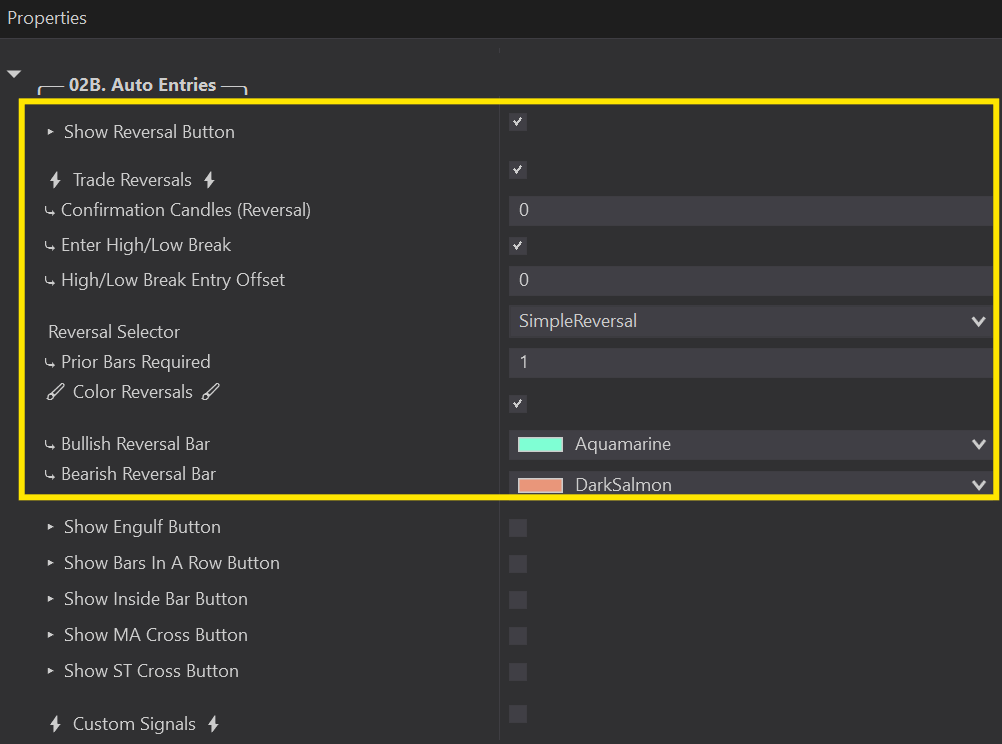
▸ Show Reversal Button:
⤷ This will open the Reversal Auto Entry options so that they can be configured.
⤷ You will see a ‘Reversal’ box on the top right hand corner of your chart when the Predator is enabled.
⚡ Trade Reversals ⚡:
⤷ This option will activate the Reversals Auto Entries. Orders will be places when they are detected.
⤷ White Reversal Box on your chart = ON. Will place trades when Reversals are detected.
⤷ Transparent Reversal Box on your chart = OFF. Will not place trades when reversals are detected.
Renko Reversal Trader Setup Video:
Simple Reversal
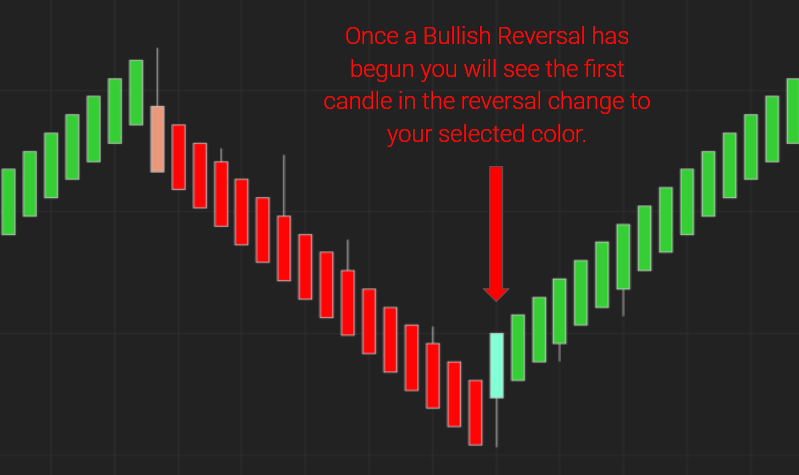
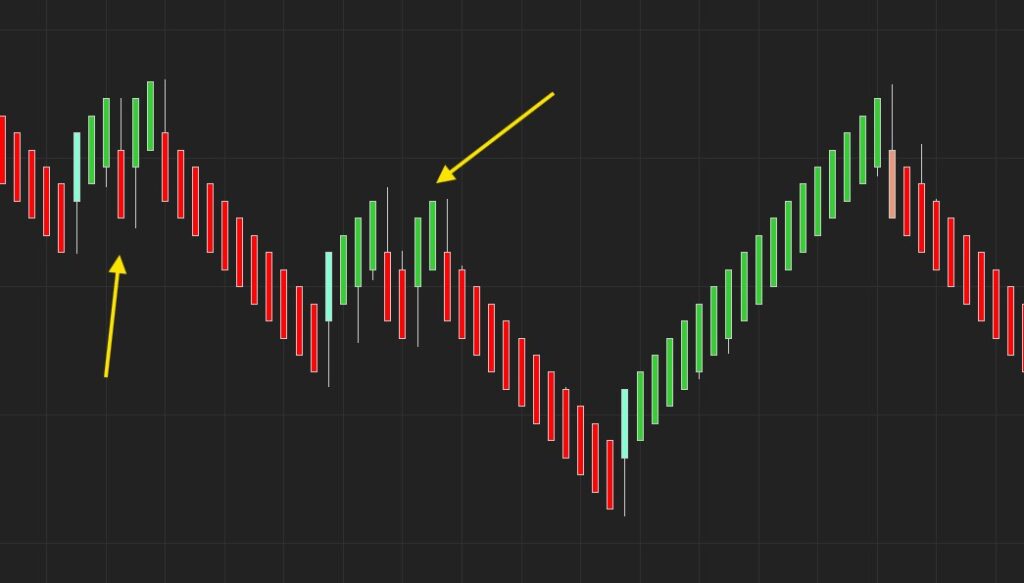
⤷ A simple Reversal simply refers to the changing of candle colors. A reversal pattern will form when the candles change from Green → Red OR from Red → Green.
Wick Reversal
⤷ Wick Reversals use a tick offset to indicate how many ticks your reversal candle must go above or below the previous candle in order to be considered a reversal pattern.
Example with 5 Tick Offset:
⤷ Bullish Reversal: Green Reversal candle must hit 5 Ticks Below the previous red candle.
⤷ Bearish Reversal: Red Reversal candle must hit 5 Ticks Above the previous candle.
Early Renko Reversal
⤷ This opetion will not wait for the candle to close in the opposite direction. It will enter as soon as the price touches the opening price of the previous candle.
Note: Since this enters befor ethe candle closes, the price cannot be confirmed.
Candle Reversal
⤷ Best suited for regular minute charts, but will work with other chart styles as well.
⤷ Requires a Red Candle and Green Candle when going Long. The Green Candles Low must be below the previous Red Candle, and the Green Candles high must not be above the High of the previous Red Candle.
⤷ Requires a Green Candle and Red Candle when going Short. The Red Candles High must be above the previous Green Candle, and the Red Candles Low must not be below the Low of the previous Green Candle.
Customize Your Reversals
Prior Bars Required
Minimum Prior Bars In Opposite Direction:
This function is used to define the minimum amount of bars required in the previous direction before your Reversal candle is valid.
For example a value of 1:
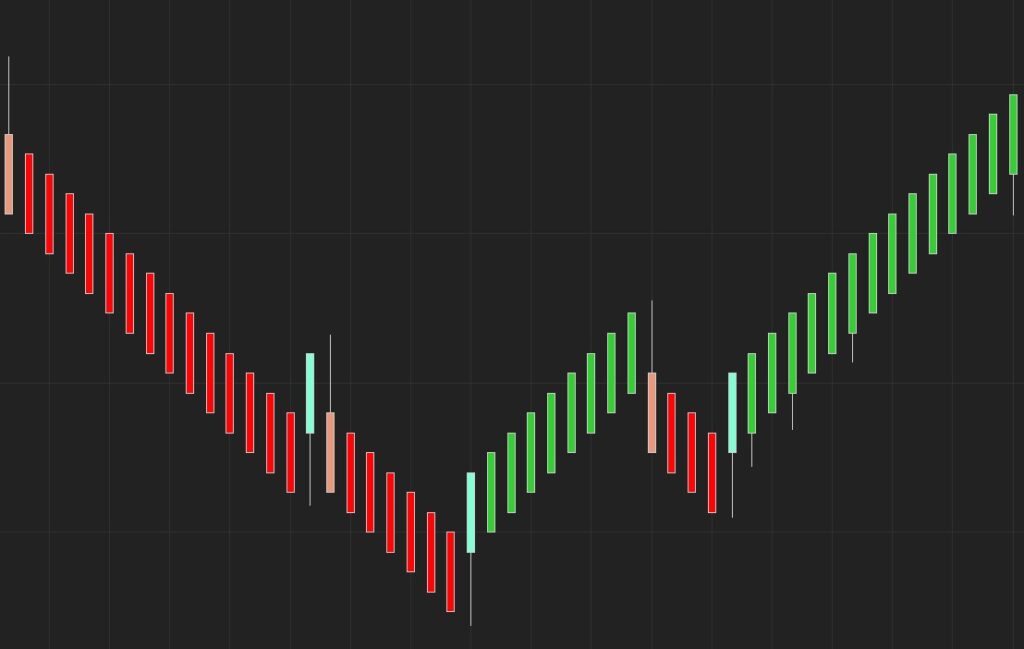
⤷ Green Reversal Bullish only requires 1 Red candle immediately to the left.
⤷ Red Bearish Reversal only requires 1 Green candle immediately to the left.
(Pic 1)
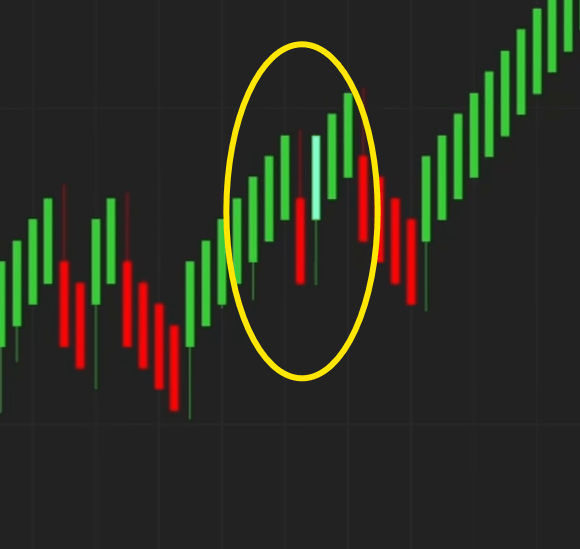
With a value of 5:
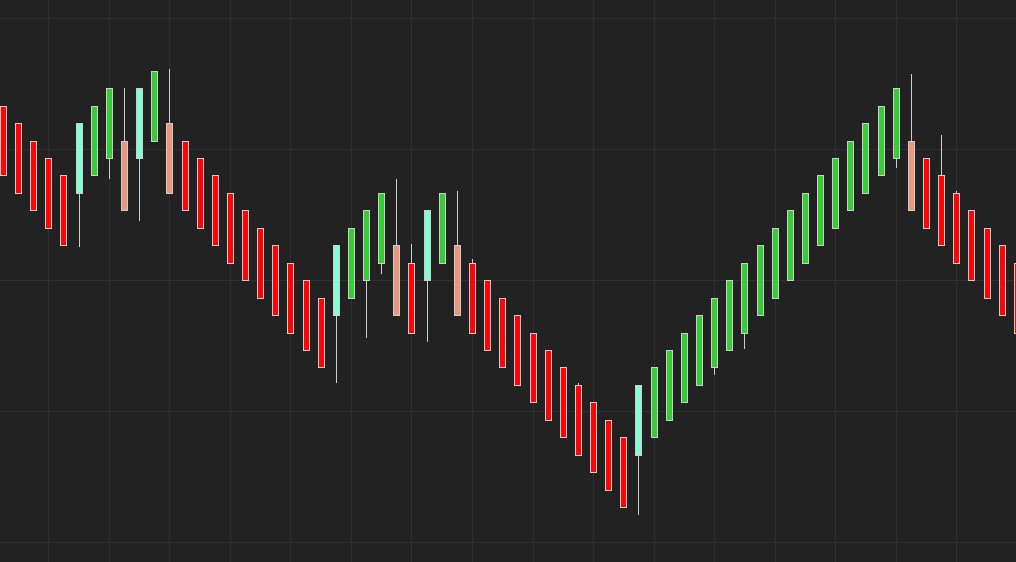
⤷ Green Reversal Bullish requires a minumum of 5 Red candles immediately to the left of the Green.
⤷ Red Bearish Reversal requires a minimum of 5 Green candles immediately to the left of the Red.
(Pic 2)
Colored Reversals are the ones eligible for trades. Pic 2 with 5 Prior Bars required will not color reversals unless there are atleast 5 candles in the opposite direction before the Reversal.
Maximum Prior Bars In Opposite Direction:
This function is the complete opposite of the Minimum, this function sets the maximum amount of bars required in the previous direction before your Reversal candle is valid.
For example a value of 1:
⤷ Green Reversal Bullish only allows a maxiumum of 1 Red candle immediately to the left.
⤷ Red Bearish Reversal only allows a maximum of 1 Green candle immediately to the left.
(Pic 1)
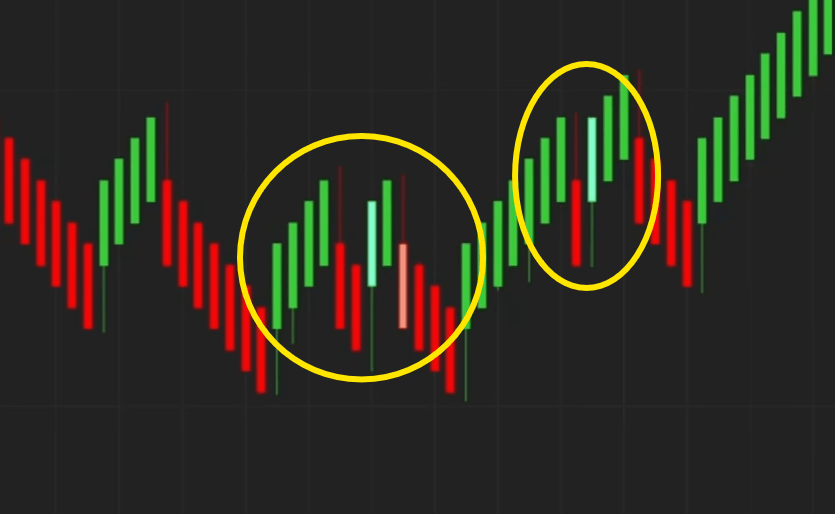
With a value of 2:
⤷ Green Reversal Bullish allows a maximum of 2 Red candles immediately to the left of the Green.
⤷ Red Bearish Reversal allows a maximum of 2 Green candles immediately to the left of the Red.
(Pic 2)
Enter High/Low Break
This function is used to define at what point you want to enter a trade once a valid Reversal has formed.
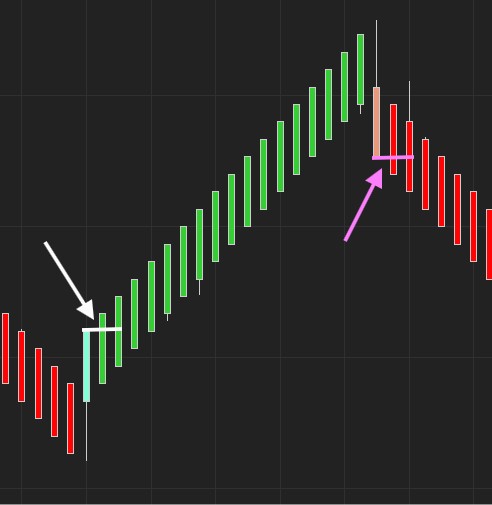
Enter At Break Enabled (See Pic):
⤷ When this is checked. The Predator will enter once the bar directly after the reversal breaks above / below the Reversal.
⤷ Bullish Reversal: Price must touch the high of the Reversal candle to enter Long.
⤷ Bearish Reversal: Price must touch the low of the Reversal candle to enter Short.
With Enter At Break Unchecked it will enter as soon as the Reversal bar closes and the new bar opens.
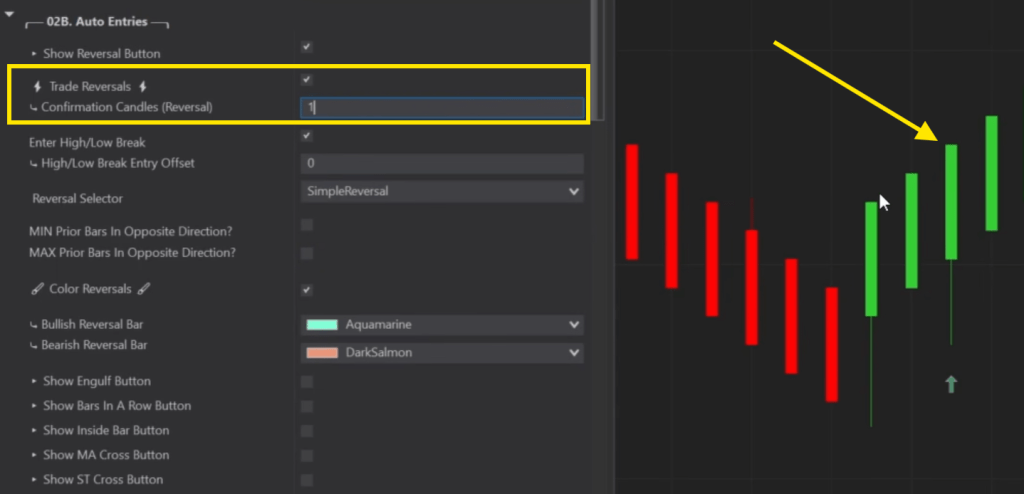
Confirmation Candles
A Confirmation Candle, requires extra Bars to close in the same direction as your Signal.
For example, a value of 0 means no additional bars required so as soon as you receive your signal, it will enter on the next bar.
A Value of 1 means 1 additional bar must close in the same direction after your reversal.
Color Reversals
Color Reversals:
⤷ This option will allow you to color Reversals as they appear.
⤷ It will color the bars in this color in real time so that you can be aware of when one is happening.