Bars In A Row Trader
Bars In A Row Trader
2
›
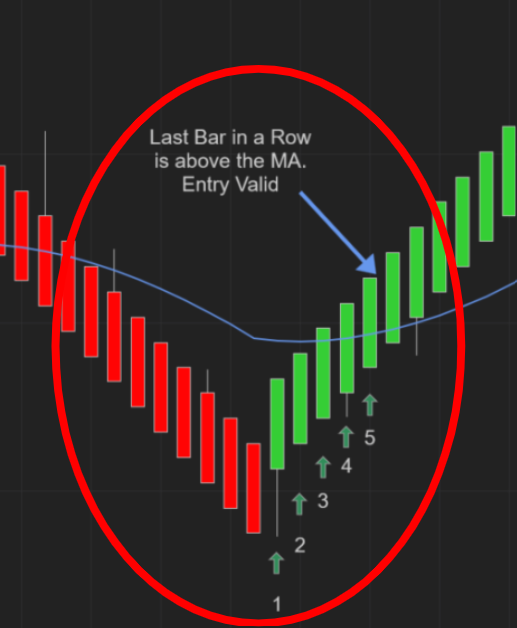
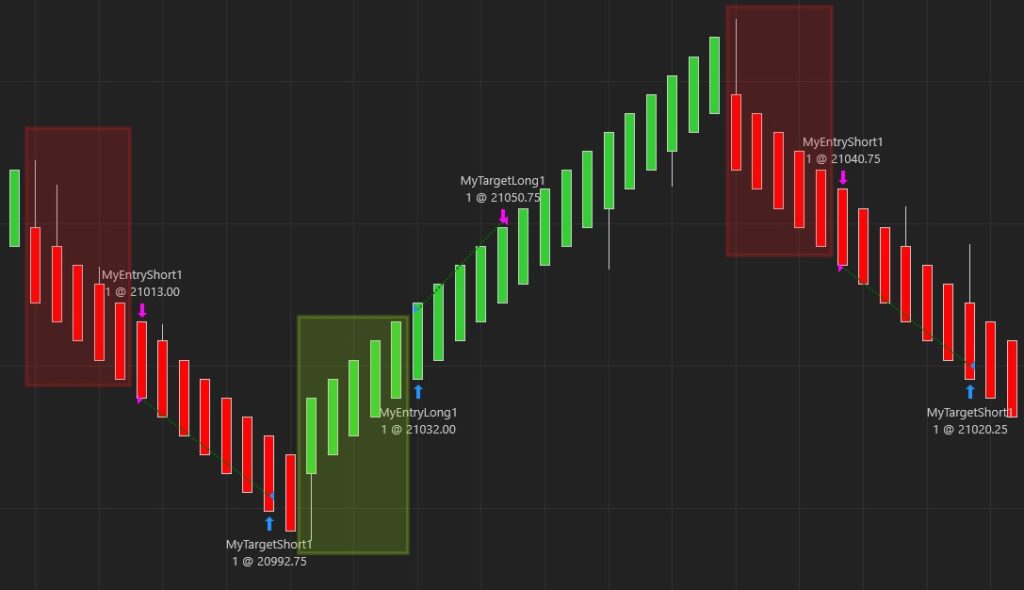
The Bars In A Row function enters a trade once your defined number of same-color bars appears. It can take trades on any chart where the conditions are met, but was mainly designed with price-based charts such as Renko in mind.
Note: there is currently no option to color Bars In A Row — updates coming soon.
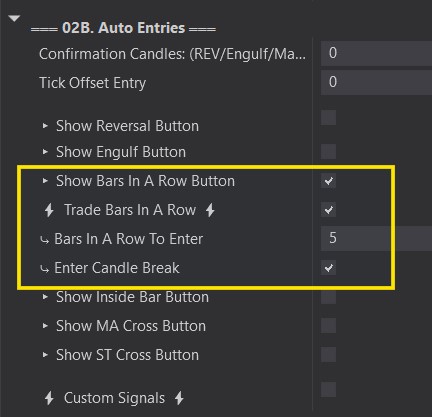
Bars In A Row / Trade Bars In A Row
›
Show Bars In A Row Button:
- This will open the Bars In A Row Auto Entry options so that they can be configured.
- You will see a ‘BarsRow’ box on the top right hand corner of your chart when the Predator is enabled.
⚡ Trade Bars In A Row ⚡:
- This option will activate the Bars In A Row Auto Entries. Orders will be places when they are detected.
- White ‘BarsRow’ Box on your chart = ON. Will place trades when Bars In A Row are detected.
- Transparent ‘BarsRow’ Box on your chart = OFF. Will not place trades when reversals are detected.
Bars In A Row To Enter / Enter Candle Break
›
Bars In A Row To Enter:
- This is how many bars must be the same color in a row in order to enter a trade.
- A value of 5 means that after 5 candles of the same color. It will enter a trade in that direction.
Enter Candle Break:
- If selected, the price must go above/below the last bar in a row to enter.
- A value of 5: If 5 green bars in a row occur. The 6th entry bar must go above the previous bars high.
Things to note:
- Bars In A Row ONLY start counting since the last Reversal candle! It will NOT count from the middle of a move!
- IF using an indicator filter. The filter will ONLY apply to the last Bar In A Row. ONLY the last bar must be in the correct location for your filter.