
Show PNL
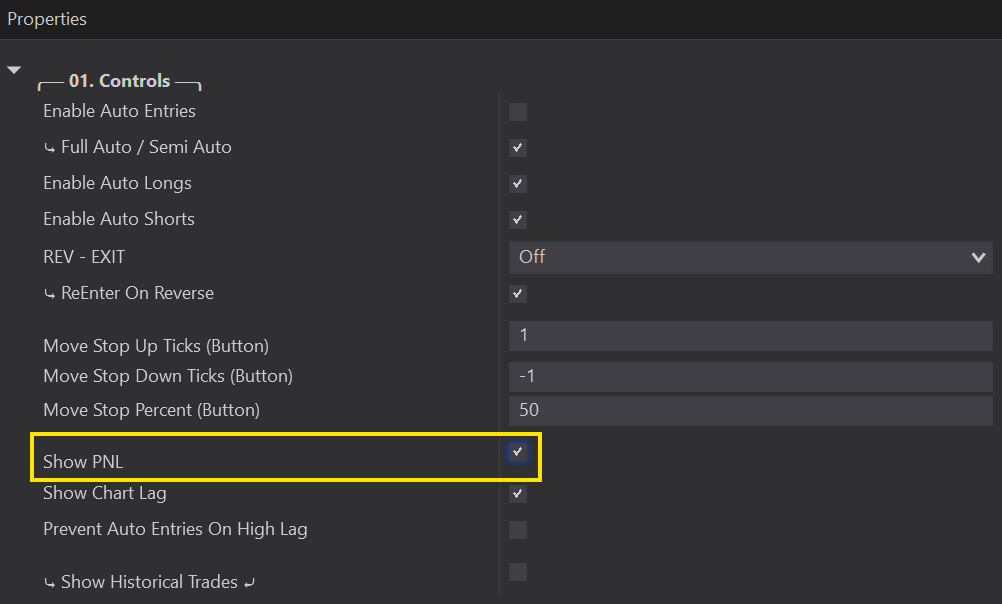
Will display your PNL on the chart when enabled. It can be turned on from 01. Controls or from the PNL 👁️ button on your Tool Bar.

Your PNL displays the account the Predator is linked to — make sure to change this account first! On live accounts it always defaults to Sim101.
Ensure that the same account displayed above your PNL also matches your Account in your Chart Trader Panel.
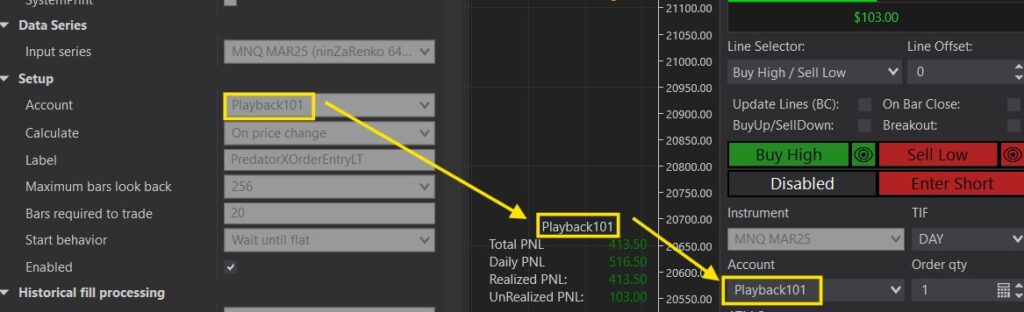
Another example can be found in this link: Stop and Profit Orders Are Not Showing Up
Hint: In order for your PNL to show, it will require a price movement on the chart to calculate. If the market is closed or very slow. You may not see it until the price starts moving on the chart.
If your strategy is disabled and then re-enabled, it will cause your PNL to reset.
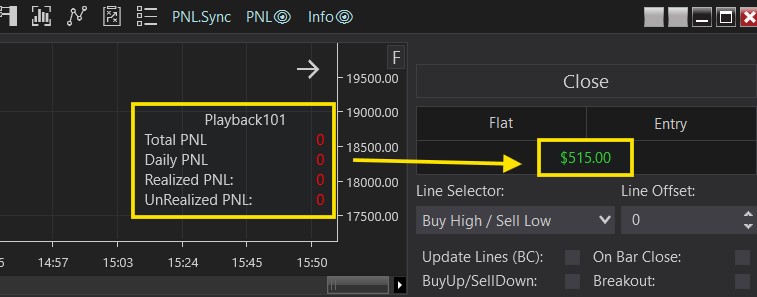
You can sync it back to the current account PNL by clicking the PNL.Sync button on your Tool Bar
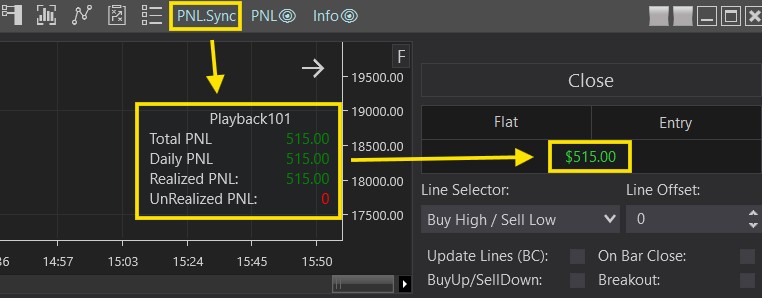
Hint 1: it requires market price movement to update. Paused playback or a closed market will not update.
Hint 2: only click PNL.Sync when you are in a FLAT position. Do not click while in a trade!