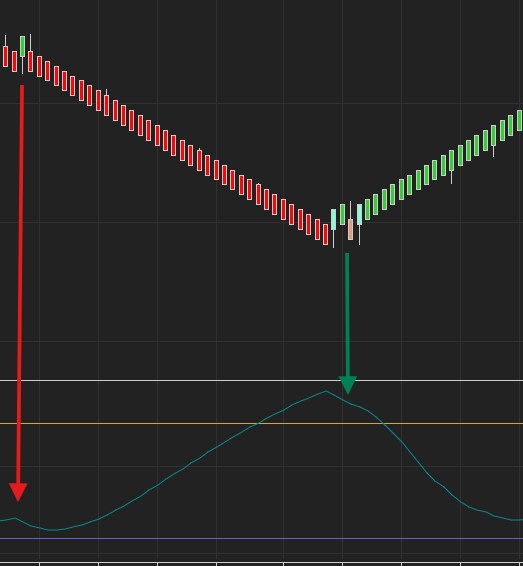
Oscillators – ADX
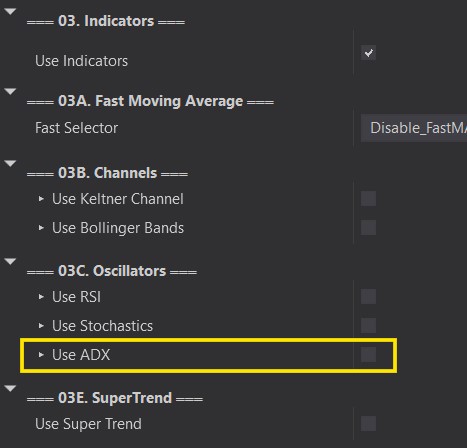
This option will filter our Auto Entries using the ADX. The ADX indicator is commonly used to idenitfy trending periods. Typically, the higher the ADX, then higher the trend. It does not identify Long or Shorts, just how much a move is trending.
Customize your ADX Period, lower and upper limits.
Note that there seems to be an issue with some strategies on NinjaTrader that cause indicators added with AddChartIndicator() to disappear. It does NOT affect functionality, it will keep filtering your trades as intended.
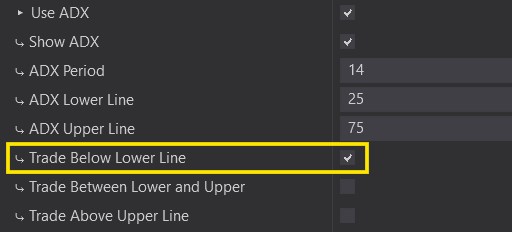
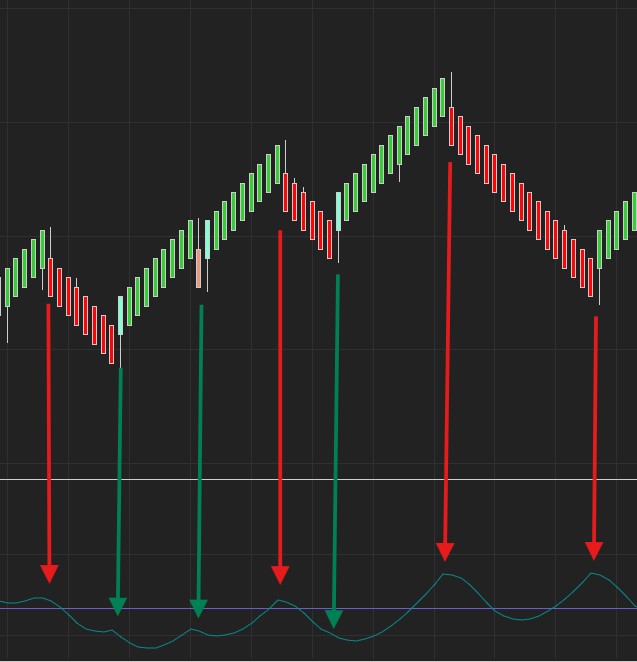
This option will enter trades in any direction once the Auto Entry Signal (Reversal shown) is formed and the ADX is currently BELOW the lower Limit.
Colored Candles are valid entries (Shown with Green Arrows).
Uncolored (Shown with RedArrows) are not valid.
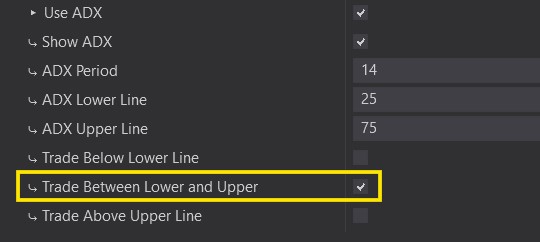
This is the most popular method when using ADX. This option will enter trades in any direction once the Auto Entry Signal (Reversal shown) is formed and the ADX is currently Above the lower limit and Below the upper limit.
Colored Candles are valid entries (Shown with Green Arrows).
Uncolored (Shown with Red Arrows) are not valid.

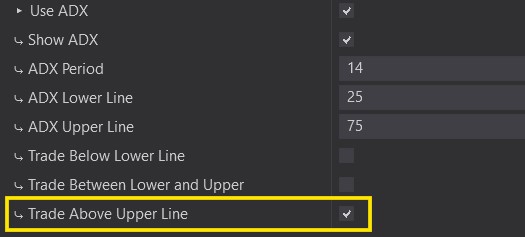
Does not happen often Mainly resrved for extreme movement. This option will enter trades in any direction once the Auto Entry Signal (Reversal shown) is formed and the ADX is currently Above the upper limit.
Colored Candles are valid entries (Shown with Green Arrows).
Uncolored (Shown with Red Arrows) are not valid.