
Manual Entry Selector
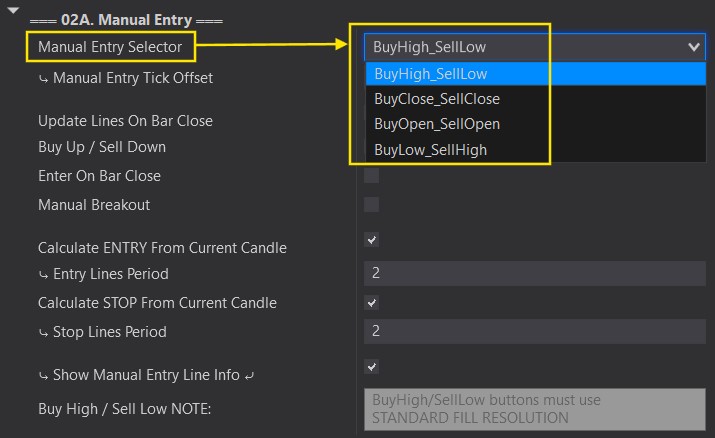
The Manual Entry Line Selector is used for your manual entries. This selector will set Entry lines on the chart depending on your configurations. When the price touches that line, it will enter in the direction you choose.
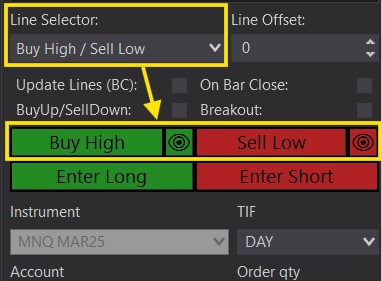
- Buy High / Sell Low
- Buy Close / Sell Close
- Buy Open / Sell Open
- Buy Low / Sell High
All examples below assume no extra configuration. To add offset or choose exact reference bars, see Manual Entry Line Offset/Period.
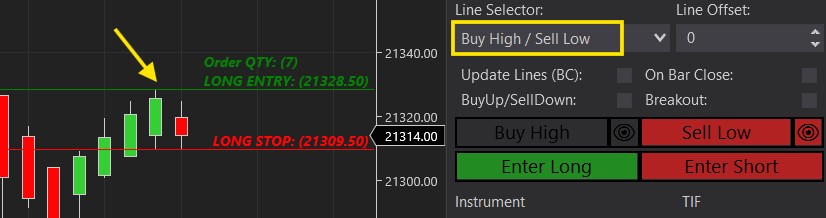
Long:
Will set your Long Entry line at the High of the previous candle (Pic 1).
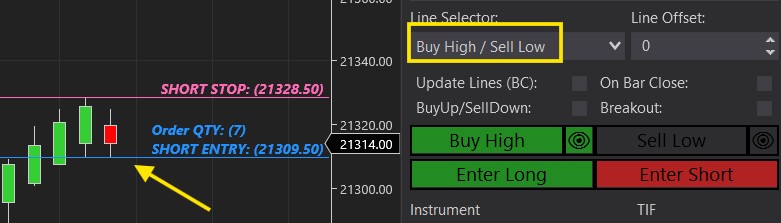
Short:
Will set your Short Entry at the Low of the previous candle (Pic 2).
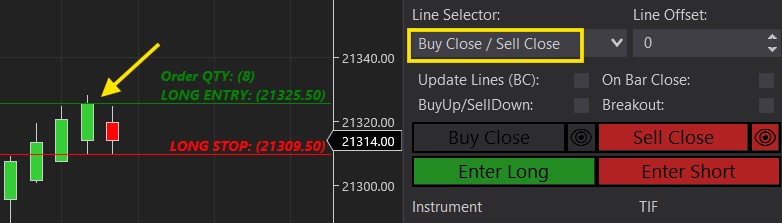
Long:
Will set your Long Entry line at the highest Closing price of the previous candles.
(It is NOT when a bar closes, just the closing price).
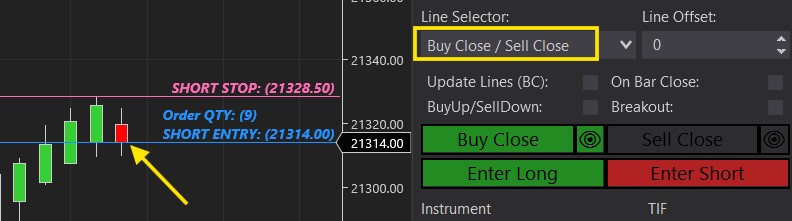
Short:
Will set your Short Entry at the lowest Closing price of the previous candles.
(It is NOT when a bar closes, just the closing price).
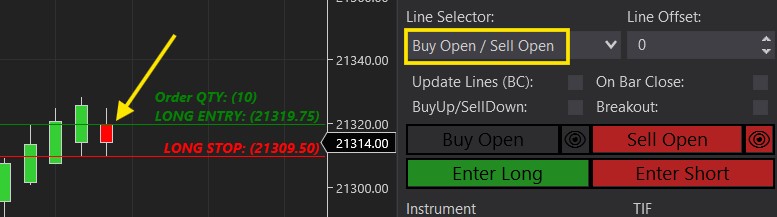
Long:
Will set your Long Entry line at the highest Opening price of the previous candles.
(It is NOT when a bar opens, just the opening price).
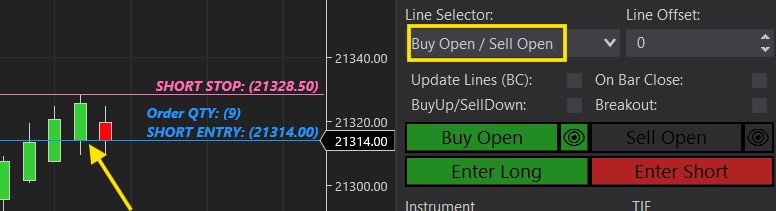
Short:
Will set your Short Entry at the lowest Opening price of the previous candles.
(It is NOT when a bar opens, just the open price).
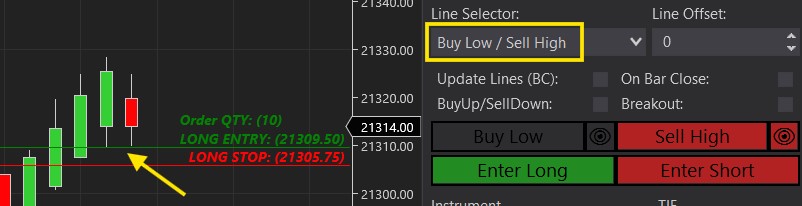
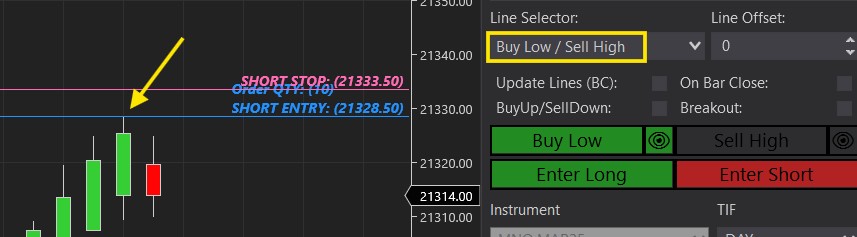
Long:
Will set your Long Entry line at the Low of the previous candle (Pic 1).
Short:
Will set your Short Entry at the High of the previous candle (Pic 2).
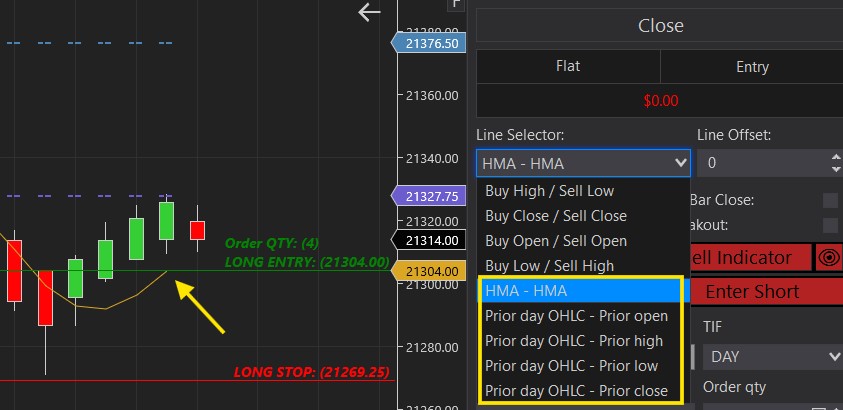
Alternatively, you can also set your Entry line to any 3rd party indicator that is currently plotted on the chart. As long as it has an exposed plot, we should be able to use it with the Predator to set our Entry point.
It must be on the chart BEFORE enabling the Predator.