
Enable Box Is Greyed Out After Changing To Playback / Live
Enable Box Is Greyed Out After Changing To Playback / Live
0
›

Changing between Playback and a Live Connection will require a new Strategy to be loaded!
If the Enable box is greyed out and cannot be clicked:
- Ensure your connection is Green on the lower left hand of your control panel.
- Remove ALL strategies in the control panel Strategies Tab.
- Load a NEW strategy by Right clicking on the chart → Loading the Predator → Enabling the NEW strategy.
- Ensure that an account is being selected within the Predator properties. In rare cases you will have to manually select the Playback101 account.
Video Example of a greyed out Enable box can be found in the GETTING STARTED VIDEO.
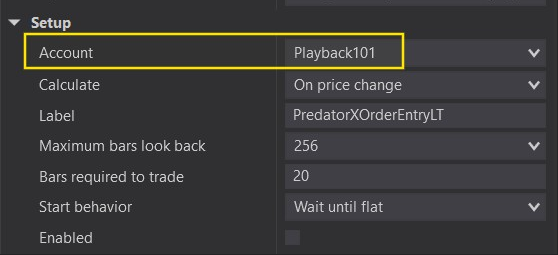
Please ensure that an account is actually selected within the Predator Properties!