
Full/Semi Auto Trader Controls

Full / Semi Auto Trader Controls
5
›
Under 01. Controls, your first three options control when — or if — your strategy will take any Auto Entries defined under 02B. Auto Entries.
These options can also be controlled via buttons in the Chart Trader panel under the Auto Entries section.
Auto On Button
›
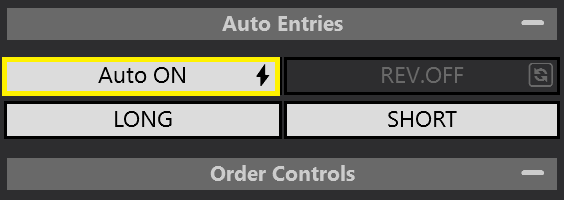
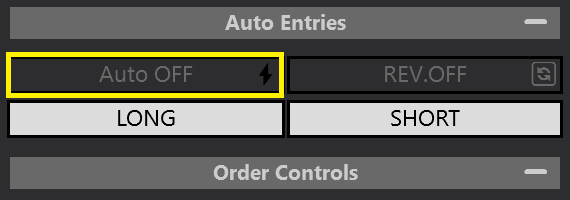
- ON = allows Auto Trades to take place
- OFF = prevents Auto Trades
Full Auto — Lightning Bolt ⚡
📺 Video
›
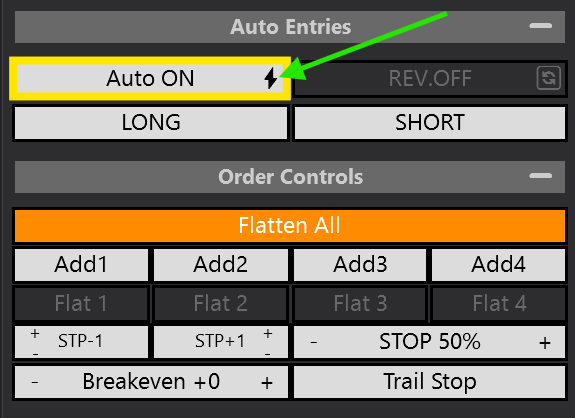
Full Auto mode is enabled. It will continue to take Auto Entries as they come up.
📺 Fully Automate Your Strategy
Semi Auto — Shield 🛡
📺 Video
›
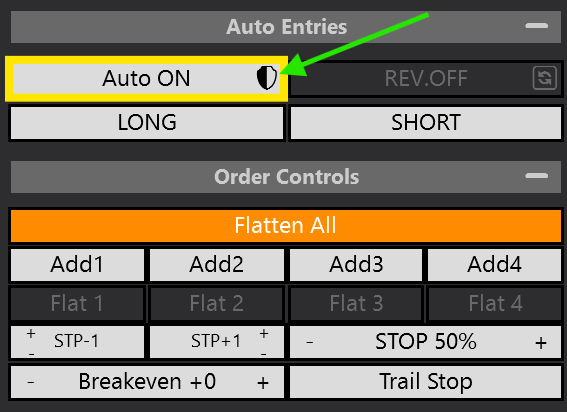
Semi Auto mode is enabled. It shuts off the Auto On button after a trade, preventing further Auto Entries — you must manually re-activate after each trade.
📺 Semi-Automate Your Strategy
Enable Auto Longs
›

This function is used to toggle ON / OFF your LONG Auto Trades.
- If you want to allow Long trades. Leave it ON (White).
- If you want to PREVENT Long trades. Toggle it OFF (Transparent).
Enable Auto Shorts
›

This function is used to toggle ON / OFF your SHORT Auto Trades.
- If you want to allow Short trades. Leave it ON (White).
- If you want to PREVENT Short trades. Toggle it OFF (Transparent).