Total Account Kill Switch
Total Account Kill Switch
1
›
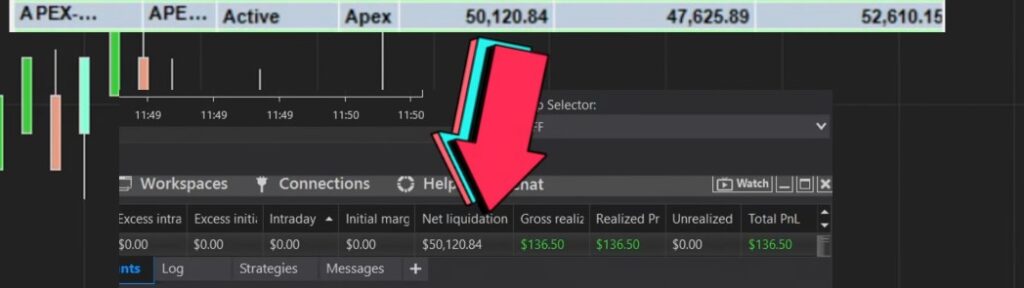
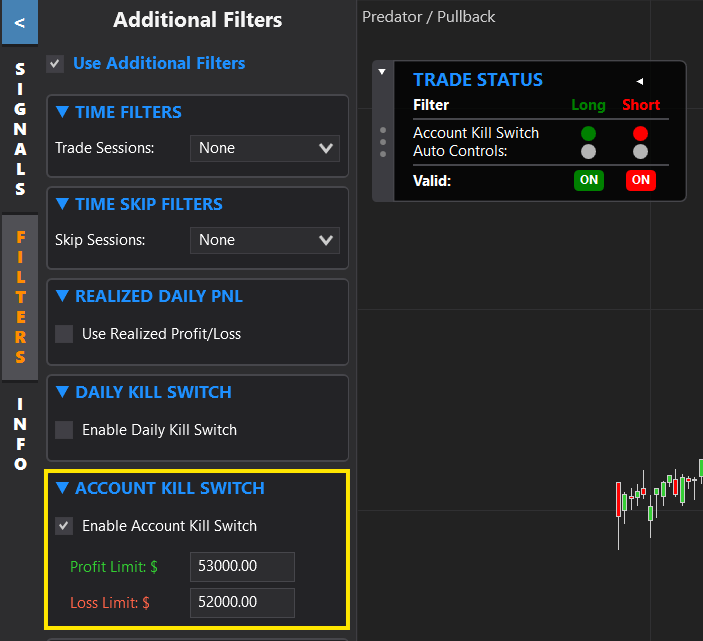
The Total Account Kill Switch exits your position when your account's 'Net Liquidation' reaches a defined profit or loss limit — useful for prop firms like Apex (e.g. to stop once an evaluation account hits its required PNL).
It differs from the Daily Kill Switch: the daily switch only looks at PNL within a day and resets daily, while the total switch watches the account's net liquidation and stops trading once that number is reached (exiting any open position).
Works in REAL TIME only — not for historical back-testing. It only exits trades entered by the Predator on the chart it's enabled on.
📺 Total Account Killswitch
Important Notes
›
- You MUST know your actual account size and set this to match it, or it could stop trading early or leave a position open.
- Kill switch orders are market orders with no guaranteed fill price, so the final fill can land a little above or below your chosen PNL — give yourself extra room.
- Number of contracts, tick size and value all influence the final fill. Trading multiple charts on the same account can cause bigger wins/losses.