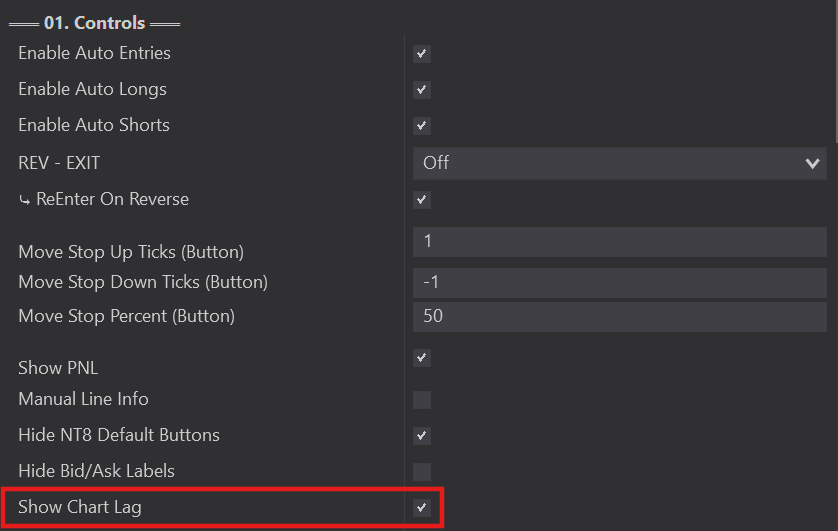
The newest addition to the Controls section, Show Chart Lag was created from an existing open-source Indicator found on NinjaTrader that we modified to work with the Predator.
This was an important feature for users. We often come across traders with major Lag problems that can cause all sorts of Order Entry issues.
Lag issues include:
- Unexplained order entry errors.
- Fills at prices that haven't been reached yet.
- Orders at levels that weren't defined (e.g. profit set to 50 ticks but entered at 150).
- Constant order rejections.
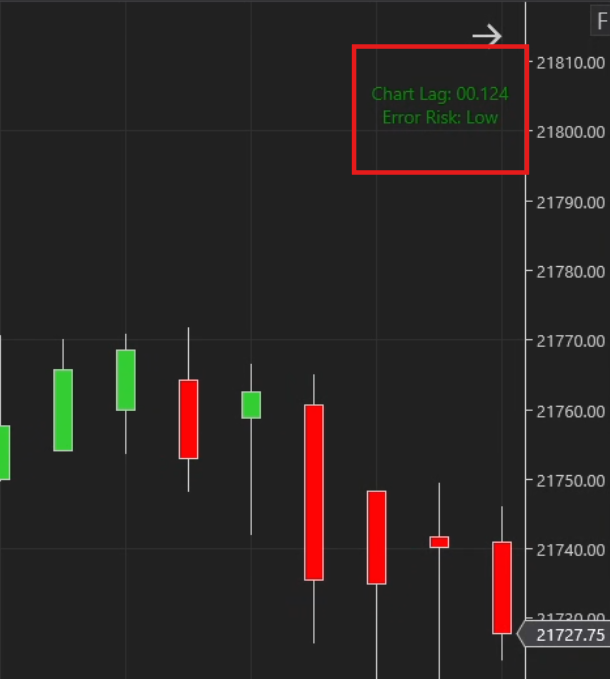
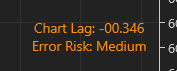
Show Chart Lag compares your chart time to the actual trading clock time to determine if there's any lag and exactly how much you're experiencing.
- Green = little to no lag detected; low chance of order errors.
- Orange = moderate chart lag detected; start to take note.
- Red = major chart lag detected; address it before continuing to trade.
- Check indicators — some run better with Calculate switched to 'On Bar Close.' The SMM indicator, for example, uses considerably fewer resources if switched to On Bar Close (keep PredatorX on On Price Change).
- Have many days loaded? Or using a very small renko bar type? Ninja has to render all the bars. Consider loading less days when running live to help everything run smoother.
- Ensure your PC and NinjaTrader are set to the SAME timezone. Predator X uses data from both NinjaTrader and your PC; a mismatch causes a mismatched lag display.
- Try a wired internet connection instead of wireless Wi-Fi.
- Upgrade your internet.
- Ensure clocks are synced — see this video (not ours, but good info): NinjaTrader Lag Issues Fix.
The most common solution is a VPS — essentially another, low-latency computer you trade from and remote into from your computer. Even if your own computer has issues, orders execute through the VPS will have less chance of lag errors, and less chance of unexpected shutdowns interrupting your platform.
I personally use TradingVPS for my VPS, and our group gets a recurring monthly discount with code TRADESABER. That said, do your research and make sure a VPS is right for you.