Full/Semi Auto Trader Controls
Under 01. Controls. Your first 3 options will help you control when or if your strategy will take any Auto Entries defined under 02B. Auto Entries.
These options can also be controlled via buttons in the chart trader panel under the Auto Entries section.
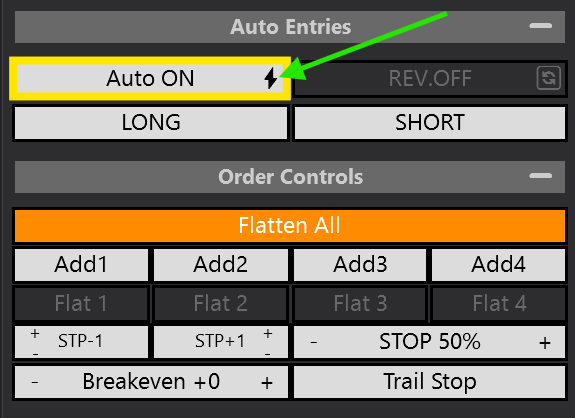
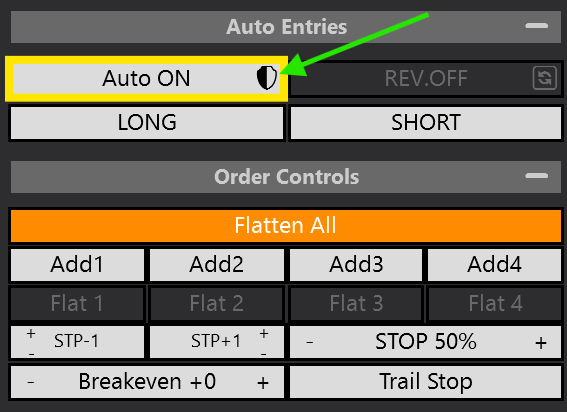
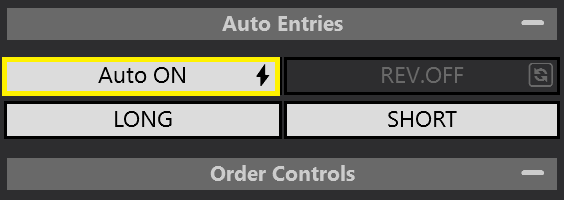
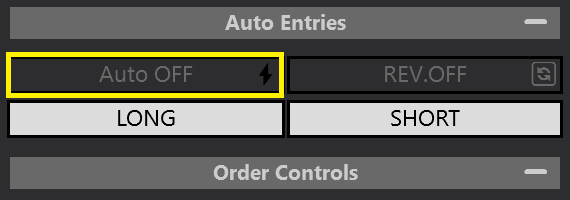
Auto On Button
⤷ ON = This will allow Auto Trades to take place.
⤷ OFF. This will Prevent Auto Trades.
Full Auto - Lightening Bolt ⚡
⤷ Full Auto mode is enabled. It will continue to take Auto entries as they come up.
Semi Auto - Shield 🛡
⤷ Semi Auto mode is enabled. It will shut off the Auto On button, preventing further Auto Entries. You will have to manually activate after each trade.
Enable Auto Longs / Long
This function is used to toggle ON / OFF your LONG Auto Trades.
⤷ If you want to allow Long trades. Leave it ON (White).
⤷ If you want to PREVENT Long trades. Toggle it OFF (Transparent).
Enable Auto Shorts / Short
This function is used to toggle ON / OFF your SHORT Auto Trades.
⤷ If you want to allow Short trades. Leave it ON (White).
⤷ If you want to PREVENT Short trades. Toggle it OFF (Transparent).