Trade ‘Within’ Time Filters
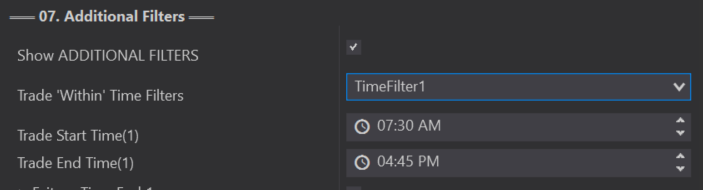
The first option inside Additional Filters is your Trade ‘Within’ Time Filters. You can use the Trade Within Time Filters to indicate exactly what times you want the Predator to take trades.
With that in mind, Time Filters can ONLY be used with your 02B Auto Entries! This means if you are trading manually these limits will not work.
Time Filter 1 / 2 / 3
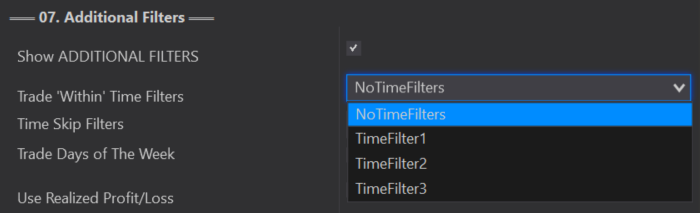
With the Predator you can select anywhere from No Time Filters up to 3 Time Within Filters, depending on the level of customization you want for yoiur Strategy.
Each Time Filter will have a specified start and end time. These times must all be within a 24 hour period.
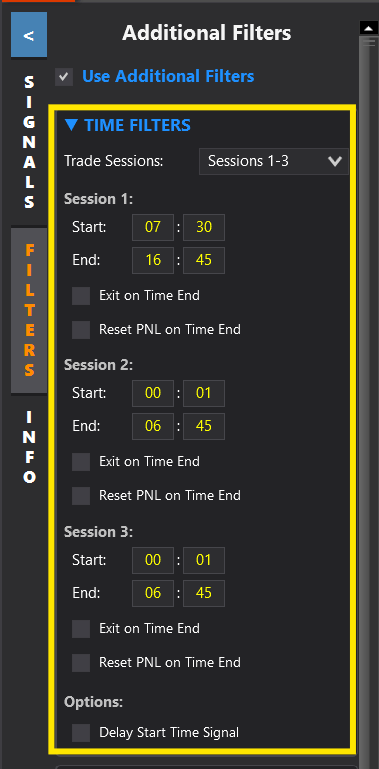
Users now have the option to add and adjust their Time Filters directly from the Predator’s side panel.
The side panel operates the same as the Predator Properties, it just allows users to make these adjustments in real time without having to disable their strategy and go into the Properties.
Trading Overnight
Traders commonly trade overnight which can cause some confusion when your Time Within Filters can only be valid for one 24 hour period. If you set limits outside of 24 hours these can cause major problems with your strategy.
In order to trade overnight there are 2 things you must do
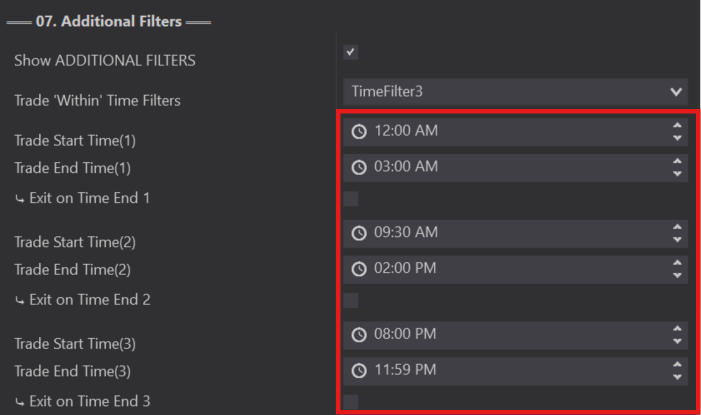
⤷ Set your lowest Time Within Filter as TimeFilter 1 and your Highest time as your last Time Filter.
⤷ One filter would start at 12:00am and your last filter will end at 11:59pm
As shown in the example above TimeFilter 1 is our lowest time and starts at 12:00am then trades until 03:00am, TimeFilter 2 starts again at 09:30am until 02:00pm, and finally our highest filter is TimeFilter 3 that starts at 08:00pm until 11:59pm where it would then continue the following day at 12:00am
Exit On Time End
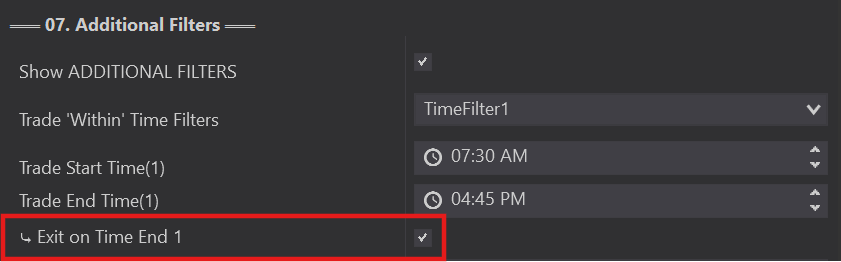
Within each of your Time Within Filters there is an option to further customize your trades by choosing to Exit on Time end. This means that if you have this option selected, any trades you are currently in come your Trade End Time will be automatically exited.
Leaving this box unchecked will NOT take you out of trades and they will remain active until your next Time Within Filter starts.
If you are also using either The Exit On Session Close through NinjaTrader or if your prop firm has an Exit On Close feature make sure to use one or the other but not all. They can be used all together IF they are not all executing at the same time.
If they all execute at the same time this can cause over fill issues when the Exit Time hits.
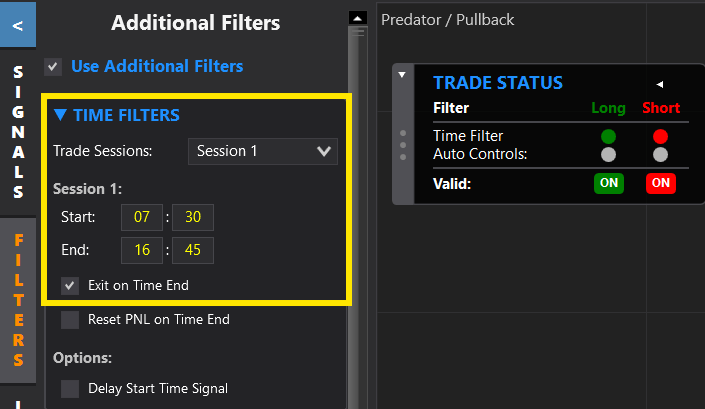
Within the side panels Time Within Filters there is an option to select the Exit on Time end option.
Just like in the properties if selected, any trades you are currently in come your Trade End Time will be automatically exited. If unselected, the Predator will NOT take you out of trades and they will remain active until your next Time Within Filter starts.
Reset PNL On Time End
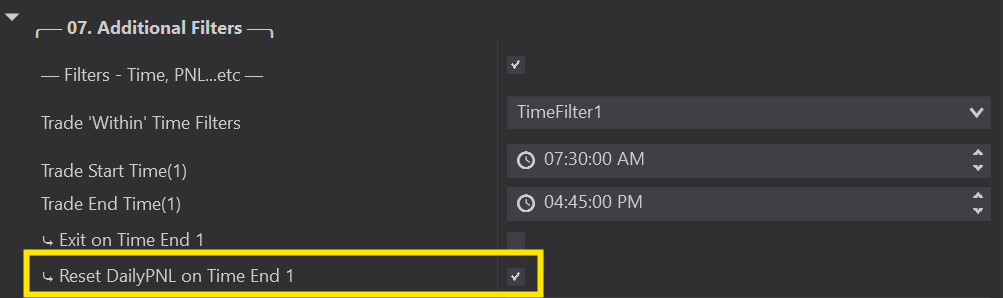
⤷ When selected, will reset your Daily PNL when your Trade End Time is reached.
⤷ Starts with a Fresh Daily PNL when your Start Time begins.
⤷ When unselected, Daily PNL will not reset on time end. It will only reset on the Start of a new day like normal.
You are able to select up to 3 different Trade Within Time Filters and each of these Trade Within Filters will have the option to reset your Daily PNL on Time End.
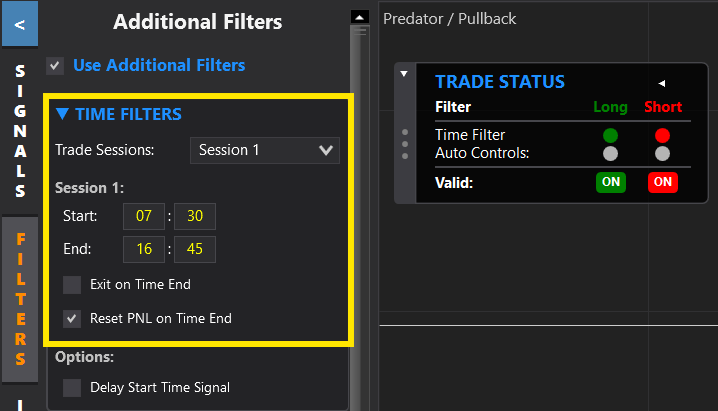
The Reset PNL On Time End option can be selected directly from the Side Panel.
Same as above:
⤷ When selected, will reset your Daily PNL when your Trade End Time is reached.
⤷ Starts with a Fresh Daily PNL when your Start Time begins.
⤷ When unselected, Daily PNL will not reset on time end. It will only reset on the Start of a new day like normal.