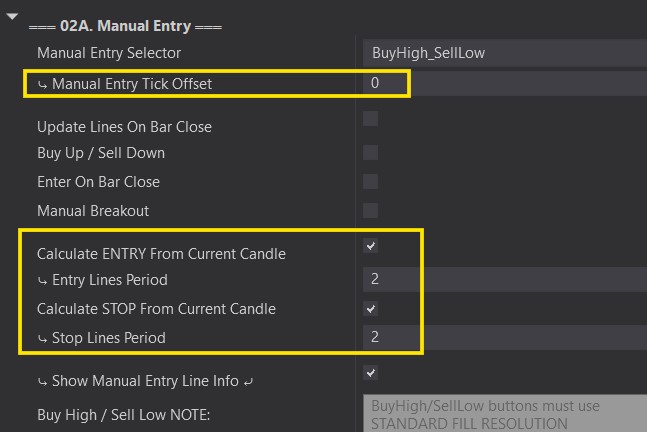
You can customize your Entry Lines (Manual Entry Selector) by changing the Tick Offset or by changing the range and period of bars we look for in order to create our Entry Lines.
In this section we will cover how these functions work. We will only be using the Buy High / Sell Low option for examples. However, the same concept applies to all of the Entry Line Selector options.
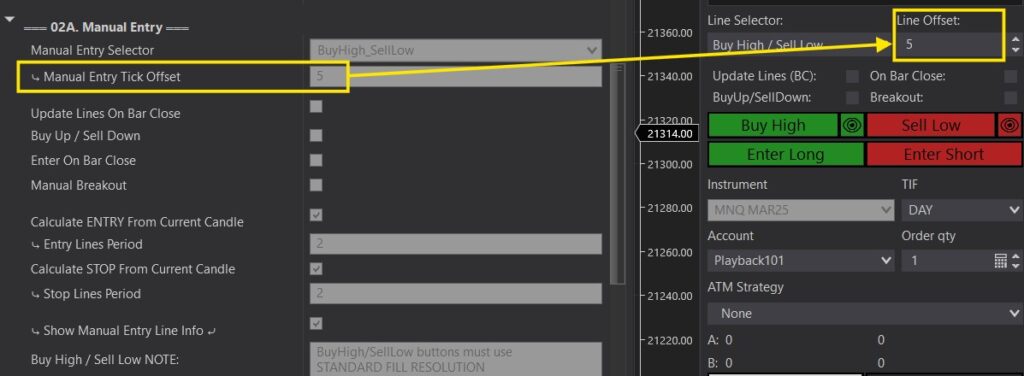
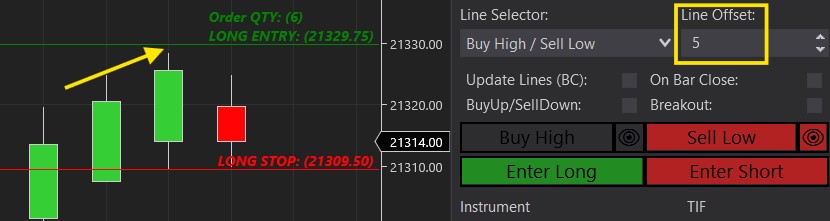
Tick Offset moves your Entry Line up or down from where it is supposed to be set. (see the Manual Entry Selector section for details). The Tick Offset can be selected within the Predator properties OR through the Chart Trader Panel after enabling the Predator.
In this example we are using the Buy High option with a 5 Tick Offset. It sets the Entry line at the high of the candles + 5 Ticks.
- A negative offset would bring the Entry line to the High of the candles minus 5 ticks.
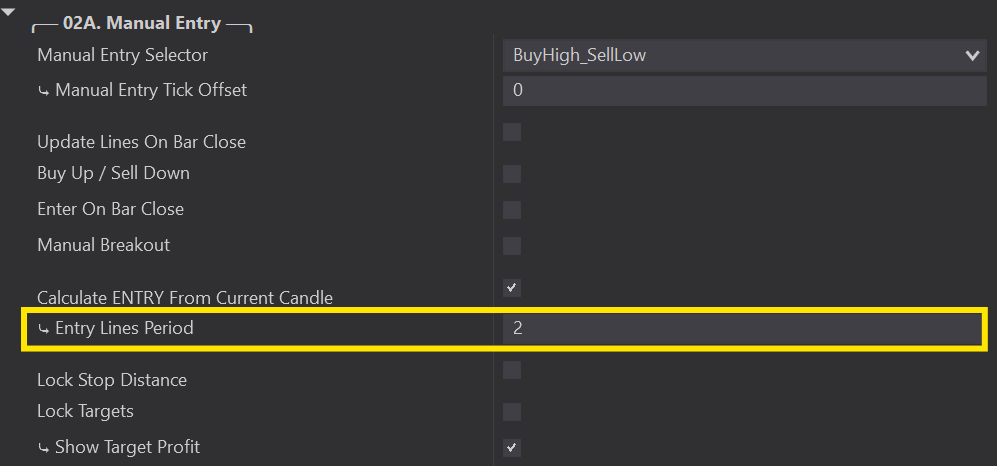
The Calculate Periods define the range of candles used to set your lines and which candle to start looking from. You are able to customize your lines so that you can place them exactly where you want.
Set 1:
- A period of 2 looks at the highest of 2 bars;
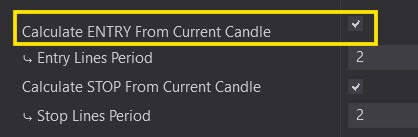
- CHECKED will calculate your lines starting from the CURRENT BAR
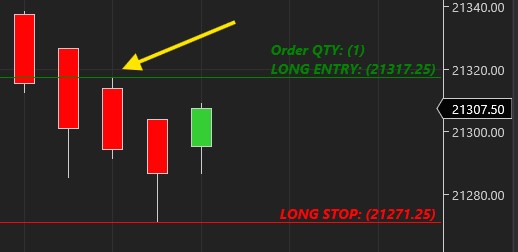
- The Buy High Entry Line is set to the High of the current bar because that is the highest point of the previous 2 bars STARTING with the current bar.
Set 2:
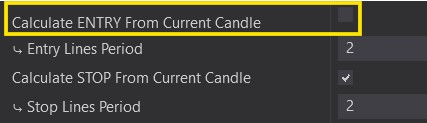
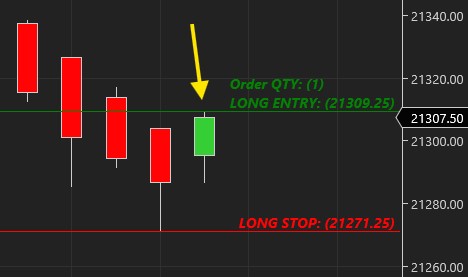
- A period of 2 looks at the highest of 2 bars
- UNCHECKED will calculate your lines starting from the PREVIOUS BAR
- The Buy High Entry Line is set to the Highest point of the 2 previous bars (NOT including the current bar).