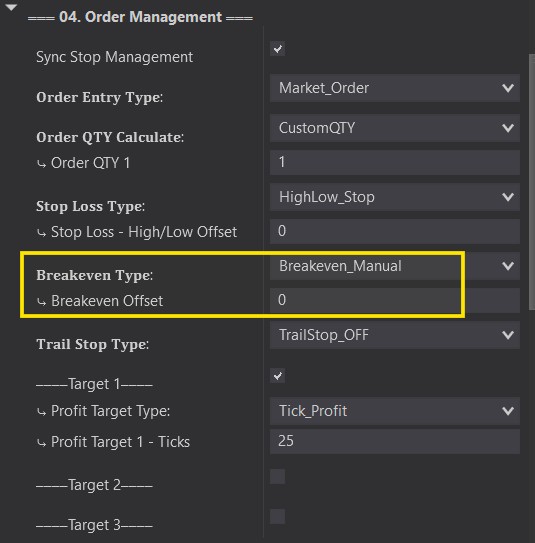
The Breakeven Type section is how you can define WHEN, IF or HOW your Stop loss gets moved up to breakeven. You will have a few options from this drop down.
Breakeven
Breakeven_Manual: ⤷ Will ONLY move up to Breakeven if the button on the chart Trader Panel is pushed.
Breakeven Tick/RR/ATR: ⤷ This option is used to Automatically move your stop to Breakeven once the price travels this set amount into profit. (See the Profit Target section for examples of each one)
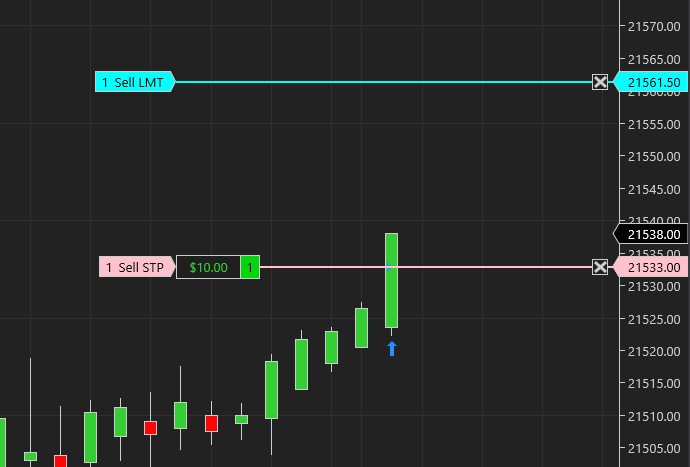
In the example below, after we enter and the price moves 20 Ticks into profit, our stop automatically moves up to Breakeven.
First Target Breakeven: ⤷ This option is used to Automatically move your stop to Breakeven once the First Target is hit.
Breakeven Offset
⤷ Help adjust your Stop if you want your stop to be a little bit more into profit to make sure a winning trade does not turn red. (Positive Offset)
⤷ if you prefer to give it a little bit more room to help reduce the risk of an early stoppage. Consider a negative offset which will bring your stop away from profit.
⤷ Offset can also be adjusted at anytime with the chart trader panel buttons. Use the (+) or the (-) buttons on the side of the breakeven button to easily adjust.
⤷ Manual Breakeven button can also be pushed at any time, even if you have it set to an Auto Breakeven type. This will automatically bring your stop up to breakeven when its pushed.
Note that both, the BID and ASK must be above your breakeven point before it can move the stop up. Also ‘Show Historical Trades’ must be turned OFF whil running live or on Playback!